Step-by-Step Guide
To receive your gift, just follow the instructions below:
- Go to account.bhvr.com and log in or complete the sign-up flow.
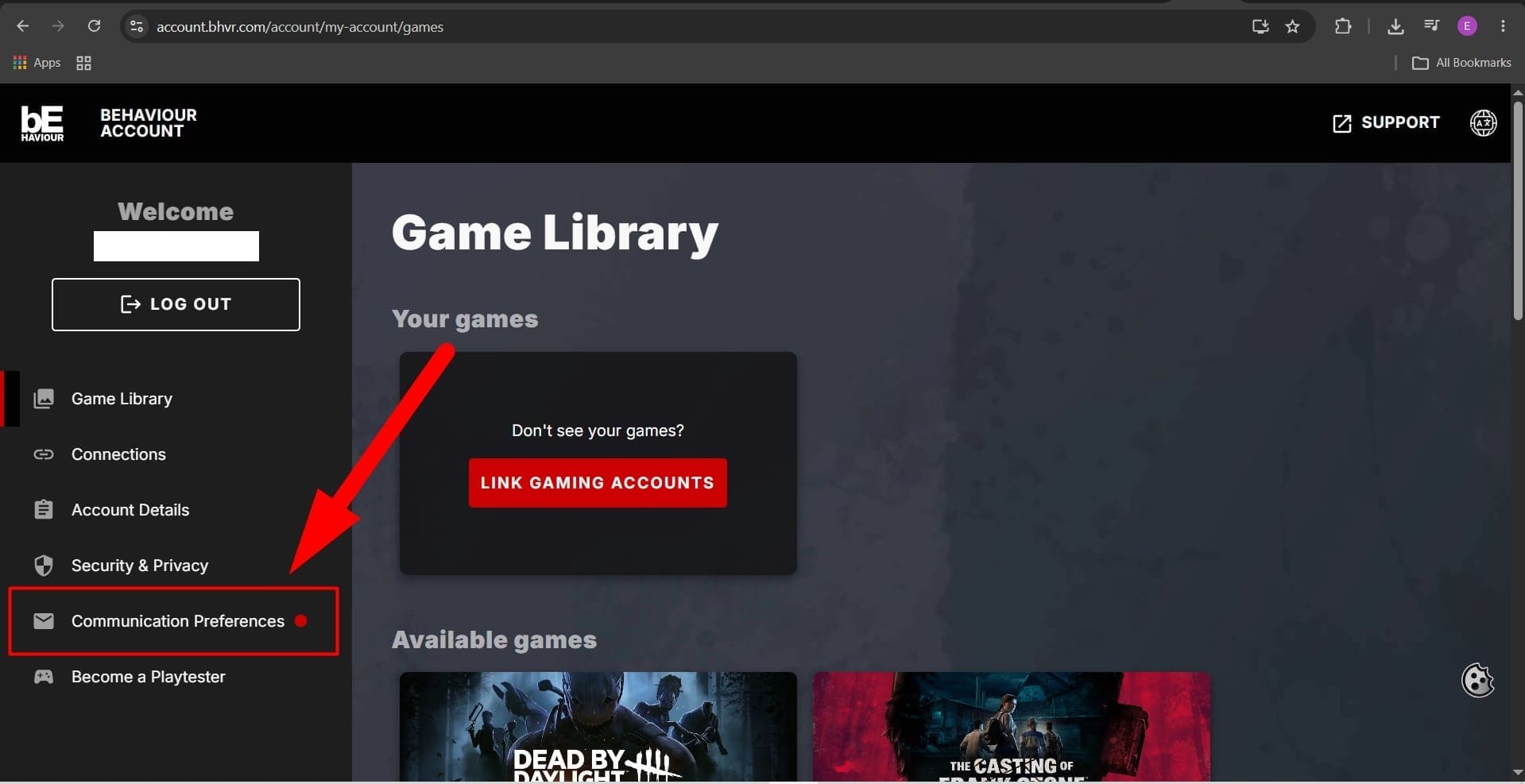
- Once logged in, navigate to the Communication Preferences section.
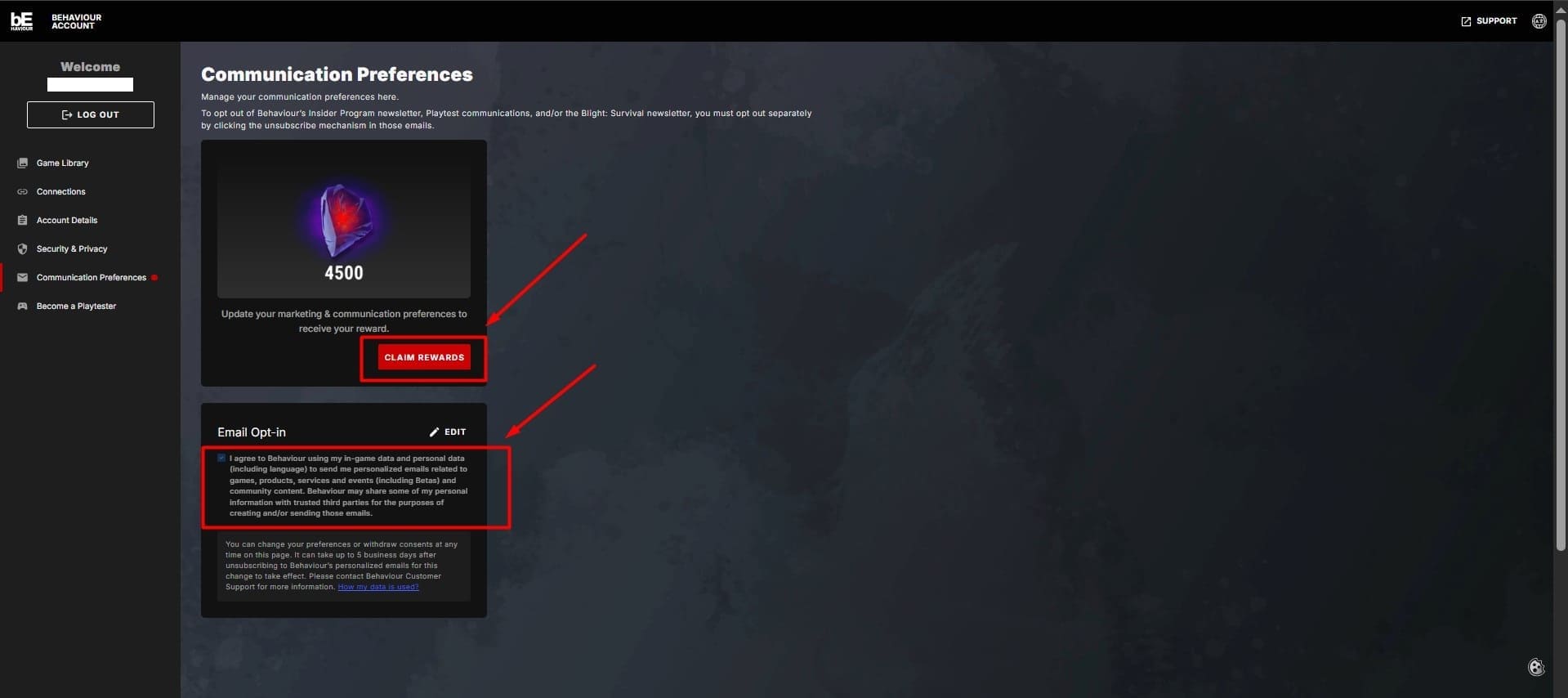
- Check the consent form boxes to opt into personalized communications.
- Click on Claim Rewards and follow the prompts that appear.
- Launch Dead by Daylight where your reward will automatically appear in your inventory.
Official source:
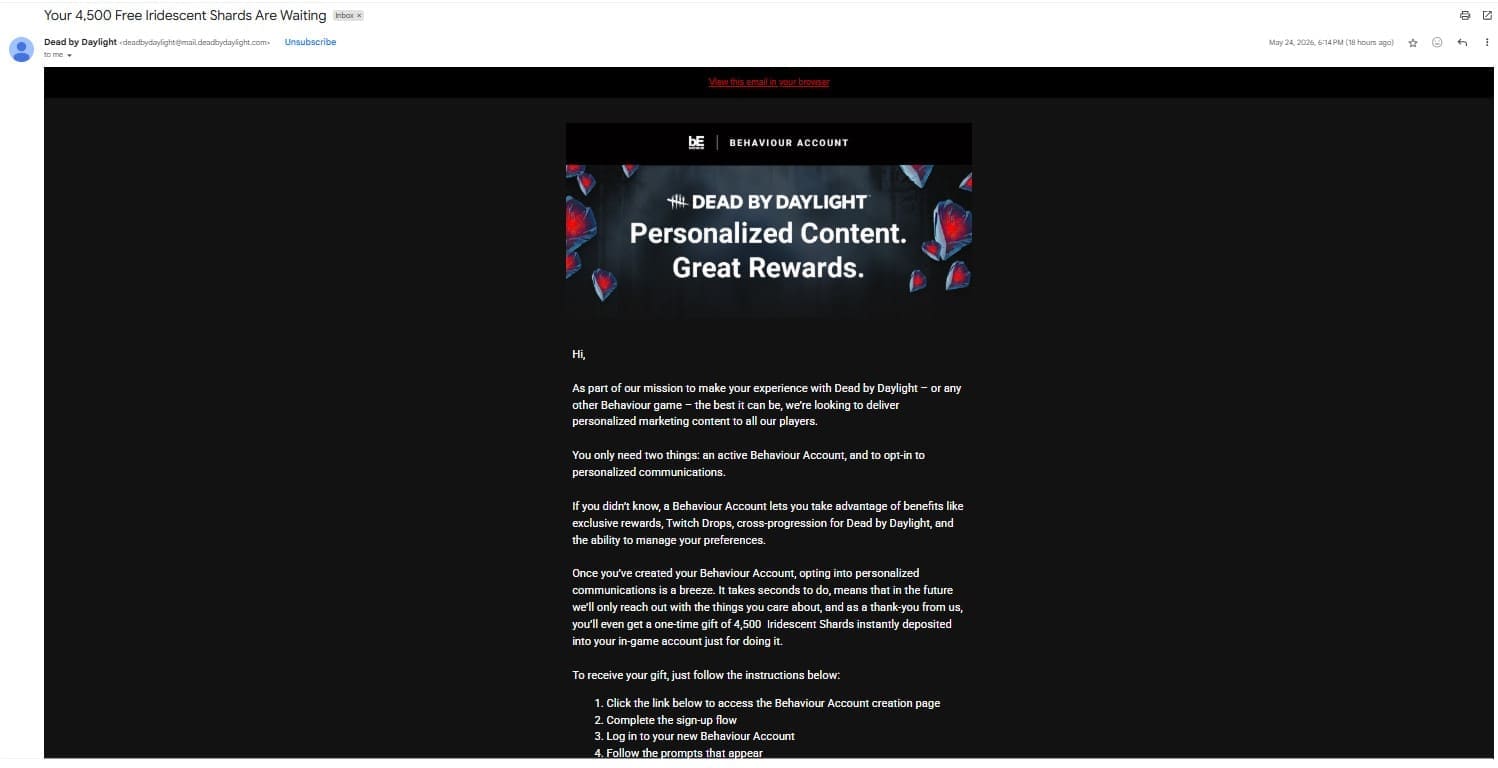
Look for the official email in your inbox titled "Your 4,500 Free Iridescent Shards Are Waiting" sent by Dead by Daylight <[email protected]>:
Account Benefits
A Behaviour Account lets you take advantage of exclusive rewards, Twitch Drops, cross-progression, and preference management. You can unsubscribe and change your communication preferences at any time. For more information, please read their official Privacy Policy: https://www.bhvr.com/privacy-policy/